Imagine a Saturday morning where you can enjoy your coffee while your lawn is being mowed without lifting a finger. Smart lawn mowers equipped with advanced app features take the hassle out of lawn care. These robotic wonders are designed to efficiently manage your yard, allowing you to focus on more enjoyable activities. This article dives into essential smart lawn mower app features that enhance user experience and improve lawn maintenance.
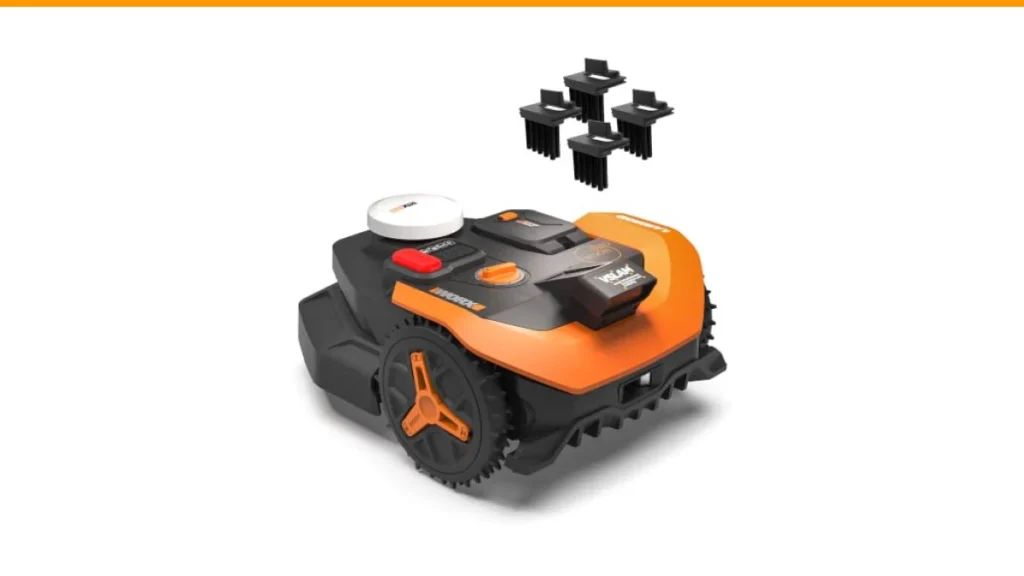
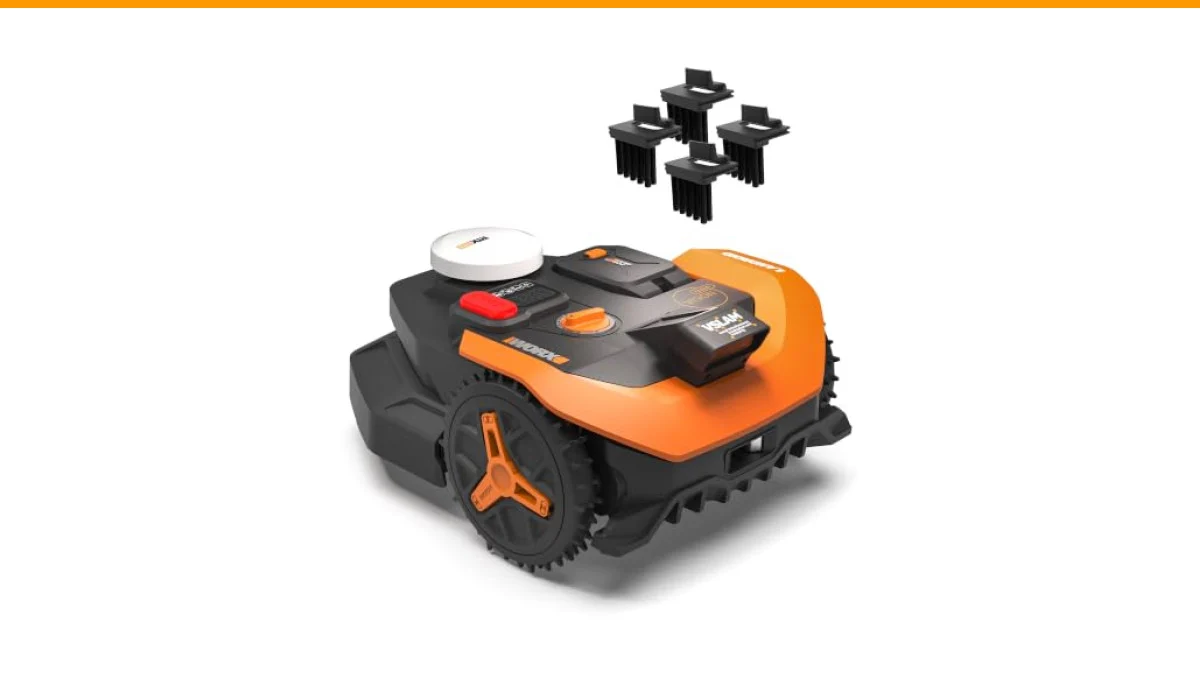
One standout product in this realm is the WORX Robot Lawn Mower for 1/4 Acre. This mower boasts innovative features like centimeter-level RTK Cloud accuracy and auto mapping, making it a solid choice for tech-savvy homeowners. With its smart app, you can easily create mowing zones and control the mower remotely, all while enjoying peace of mind.

WORX
In this article
- WORX Robot Lawn Mower for 1/4 Acre, Wire-Free with Brushes | Landroid Vision Cloud with App Control, AI Obstacle Avoidance, RTK Cloud Navigation, App Control, Handles 30% Slope
- Key Features of Smart Lawn Mower Apps
- Benefits of Using Smart Lawn Mower Apps
- Comparison of Popular Smart Lawn Mower Apps
- Common Questions About Smart Lawn Mower App Features
- Practical Tips for Using Smart Lawn Mower Apps
- Final Thoughts
WORX Robot Lawn Mower for 1/4 Acre, Wire-Free with Brushes | Landroid Vision Cloud with App Control, AI Obstacle Avoidance, RTK Cloud Navigation, App Control, Handles 30% Slope
- Centimeter-Level RTK Cloud Accuracy: Commercial-grade RTK Cloud technology delivers centimeter-level positioning for this robotic…
- Auto Mapping for More Complete Coverage: Vision AI helps the robot lawn mower understand lawn shapes and boundary types, then auto…
- AI Obstacle Avoidance with Neural Processing: Vision AI recognizes and understands common yard objects, using a trained neural net…
Key Features of Smart Lawn Mower Apps
Smart lawn mower apps come with a range of features designed to simplify lawn maintenance. Here are some of the most beneficial:
- Remote Control: Most smart mowers allow you to control the mower from your smartphone. Whether it’s starting, stopping, or scheduling mowing sessions, remote control offers convenience.
- Mapping and Navigation: Apps often feature mapping capabilities that allow the mower to understand your yard’s layout. This ensures efficient coverage and minimizes the chances of missing spots or overlapping areas.
- Zone Management: Users can create specific zones within their yard. This feature is particularly useful for homes with flower beds or other areas that should not be mowed.
- Maintenance Alerts: Many apps send notifications for routine maintenance tasks like blade sharpening or battery checks, helping you keep your mower in top condition.
- Weather Integration: Smart mowers can access weather information, adjusting mowing schedules according to current conditions. This ensures your mower operates only when the lawn is ready.
Benefits of Using Smart Lawn Mower Apps
Smart lawn mower apps provide clear advantages that traditional mowers can’t match. Here are some key benefits:
- Time Savings: Automating lawn care saves you hours each week, freeing up time for other activities.
- Precision: Advanced navigation and mapping technology allow for precise mowing patterns, reducing the likelihood of uneven growth.
- Eco-Friendly: Many smart mowers are battery-powered, reducing carbon footprint while providing efficient lawn care.
- Cost Efficiency: Although smart mowers may have a higher upfront cost, their ability to operate independently can lead to savings on labor and fuel.
- Increased Property Value: A well-maintained lawn enhances curb appeal, potentially increasing your property’s value.
Comparison of Popular Smart Lawn Mower Apps
| Feature | WORX Robot Mower | Husqvarna Automower | Gardena Sileno |
|---|---|---|---|
| Remote Control | Yes | Yes | Yes |
| Mapping | Auto Mapping | GPS-assisted | Smart App Mapping |
| Zone Management | Yes | Yes | No |
| Weather Integration | Yes | Yes | Yes |
| Maintenance Alerts | Yes | Yes | No |
Common Questions About Smart Lawn Mower App Features
1. How do I connect my smart mower to the app?
Connecting your smart mower to its app typically involves downloading the app, creating an account, and following the setup instructions provided in the manual. Most mowers will require you to connect to your home Wi-Fi.
2. Can I schedule mowing times with the app?
Yes, most smart lawn mower apps allow you to schedule specific mowing times. You can set daily, weekly, or customized schedules based on your lawn’s needs.
3. What happens if it rains during a scheduled mowing?
Smart mowers with weather integration will cancel or reschedule mowing sessions if rain is detected. This helps prevent damage to your lawn and mower.
4. How do I adjust the mowing height?
You can usually adjust the mowing height through the app. Most smart mowers allow for multiple height settings to accommodate different grass types.
5. Are smart lawn mowers safe around pets and children?
Many smart lawn mowers come equipped with safety features like obstacle detection and lift sensors. This means they will stop if they encounter an object or if the mower is lifted off the ground.
Practical Tips for Using Smart Lawn Mower Apps
- Regularly check for app updates to ensure you have the latest features and security enhancements.
- Utilize mapping features to optimize mowing patterns for best results.
- Set up maintenance reminders to keep your mower in good shape.
- Experiment with different mowing schedules to find what works best for your lawn.
- Keep the mower’s sensors clean for accurate obstacle detection.
Final Thoughts
- Look for mowers with remote control capabilities for ultimate convenience.
- Choose a model with advanced mapping features for better efficiency.
- Consider weather integration to protect your lawn and mower.
- Check for zone management options if your lawn has distinct areas.
- Regularly update your mower’s app to access new features.
- Monitor battery life and charging times to maximize mower performance.
- Read user reviews for insights on specific models and apps.