Maintaining a lush, healthy lawn can often feel like a full-time job. Between scheduling mowing sessions, watering, and ensuring proper care, keeping your yard in top shape requires consistent effort. What if you could automate much of this work? Enter IFTTT (If This Then That), a powerful tool that can streamline your lawn mower’s operation and make managing your yard less of a chore.
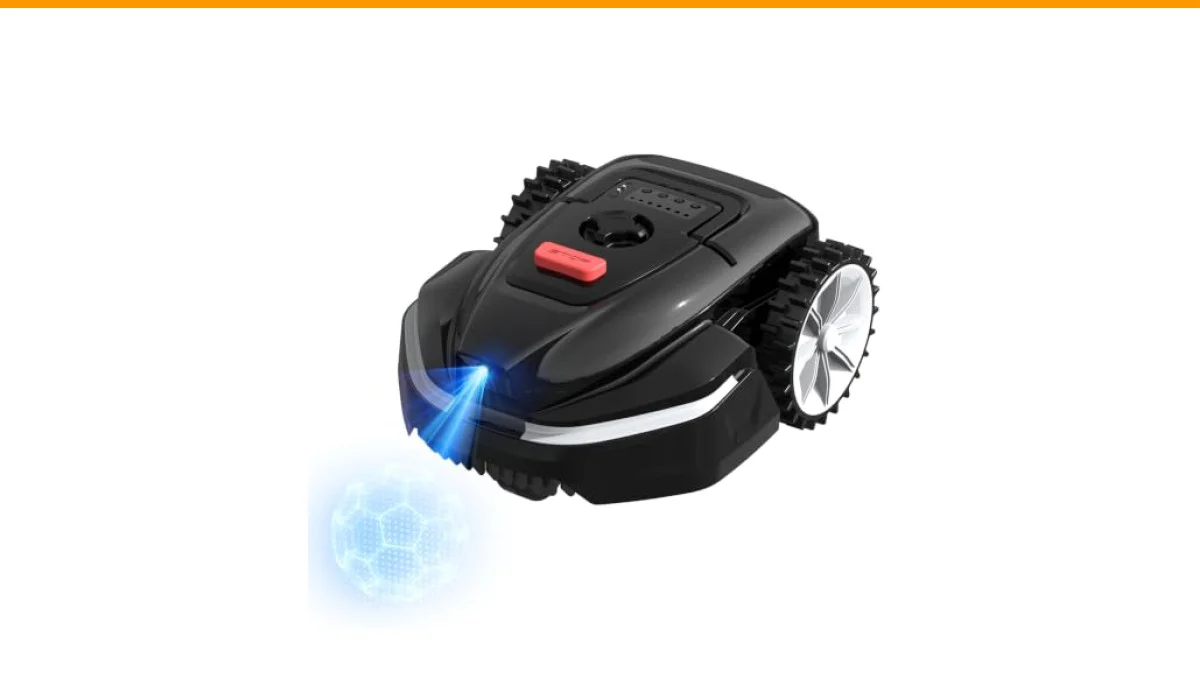
This article will guide you through the world of lawn mower IFTTT automations. You’ll learn how to set up these automations effectively, the benefits they bring, and how they can work seamlessly with robotic lawn mowers like the V3 AI Vision Robotic Lawn Mower from YARDCARE. This model features AI vision obstacle sensing and smartphone app control, making it a great companion for smart lawn care.

YARDCARE
V3 AI Vision Robotic Lawn Mower, 1600 Sq.Ft, Dark Black | AI Vision Obstacle Avoidance, Smart APP Control, Low-Noise Operation, Adjustable Cutting Height, No-Go Zones
- 【AI Vision Obstacle Sensing】Equipped with intelligent AI vision technology, the LEBOSBO V3 robotic lawn mower can detect obstacles…
- 【Custom No-Go Zones with 32FT Magnetic Strip】The included 32FT magnetic strip allows flexible no-go zone setup to keep the mower a…
- 【Smartphone APP Control】Use the mobile APP to control your robot lawn mower remotely. Schedule mowing times, monitor operation, an…
Understanding IFTTT and Its Benefits
IFTTT is a web-based service that allows users to create chains of simple conditional statements, or applets. These applets connect different services and devices. For instance, you can set your robotic lawn mower to start mowing when the weather forecast predicts a dry day. This automation helps in several ways:
- Time Savings: Automate your mowing schedule without constant oversight.
- Weather Adaptability: Adjust mowing times based on local weather conditions.
- Integration with Smart Home Devices: Connect your lawn mower with other smart devices for holistic control.
Common Misconceptions about Automating Lawn Care
Many believe that automating lawn care is complicated, requiring extensive technical knowledge. However, IFTTT simplifies this process significantly. You don’t need to be an expert coder; a basic understanding of the app can go a long way. Here are a few myths to debunk:
No, You Don’t Need a Smart Mower to Use IFTTT
Some think only smart mowers can utilize IFTTT. While models like the YARDCARE V3 offer built-in app support, even traditional mowers can fit into your smart ecosystem. For instance, if you have a smart sprinkler system, you can set it to water after your mower finishes its job, ensuring the best lawn conditions.
No, More Features Don’t Always Mean Better Performance
It’s a common belief that the more functionality a mower has, the better it will perform. While features matter, efficiency and reliability are often more crucial. A mower like the V3, with its AI vision and no-go zone features, provides a balance of smart technology and practical performance, ensuring it meets your lawn care needs without overwhelming you.
Setting Up IFTTT Automations for Lawn Mowing
Getting started with IFTTT automations for your lawn mower is straightforward. Here’s a step-by-step guide to setting up your first automation:
- Create an IFTTT Account: Sign up on the IFTTT website or download the mobile app.
- Connect Your Devices: Link your lawn mower and any other relevant devices, like weather apps or smart home systems.
- Create an Applet: Choose a trigger (like “if it’s sunny tomorrow”) and an action (“then start the mower”).
- Test the Automation: Run a test to ensure everything works as expected.
For example, you might set an applet that starts your V3 mower when it’s a sunny day, ensuring your lawn gets the care it needs without you having to lift a finger.
Comparing Options for Automating Lawn Mowing
| Feature | IFTTT Compatible Mowers | Traditional Mowers |
|---|---|---|
| Smartphone App Control | Yes | No |
| Weather Integration | Yes | Limited |
| Obstacle Detection | Yes | No |
| Custom No-Go Zones | Yes | No |
| Cost | Higher Initial Investment | Lower Initial Investment |
Frequently Asked Questions
1. Can I use IFTTT with any mower?
IFTTT works best with smart mowers. However, you can still create automations with traditional mowers by integrating them with smart devices, like weather sensors or smart irrigation systems.
2. How reliable are IFTTT automations?
IFTTT automations are generally quite reliable, but occasional connection issues can occur. Regularly check your applets to ensure they function as expected.
3. Do I need to monitor my mower constantly?
No. Once set up, your automations can manage mowing schedules without your input. You may check in occasionally, especially during the first few runs.
4. What if it rains?
You can set IFTTT to postpone mowing if rain is forecasted, ensuring your lawn isn’t mowed when conditions are wet.
5. How do I choose the right mower for automation?
Look for mowers with smart features, strong app support, and reliable performance. The YARDCARE V3 offers a good balance with its AI features and ease of use.
Actionable Insights for Your Lawn Care
- Consider automating your lawn care with IFTTT for efficiency.
- Explore applets that connect your mower with weather forecasts.
- Evaluate smart mowers like the YARDCARE V3 for advanced features.
- Regularly check your IFTTT applets to ensure they work correctly.
- Utilize no-go zones to protect sensitive areas in your yard.
- Monitor your lawn’s condition to adjust your automations accordingly.
- Stay informed about updates in smart lawn care technology.